Free OBS PDF and PowerPoint plugin
Present PDF pages directly in OBS on Windows and macOS — no PowerPoint or separate PDF reader needed. Give the audience clean pages and the speaker a separate current/next preview, timer, and cue list. For animated PowerPoint decks, use the built-in live workflow.
Presenting a PDF? Open the step-by-step PDF guide →
Free download, no paywall. If PPTBridge helps your production, support development on Patreon (suggested $5).
20-second demo: presenter view on the left, clean Program output on the right. Watch the full 2.5-minute workflow.
PDF pages in OBS, without another app
Conference slides, training material, agendas, diagrams, or a static backup deck: choose your PDF and present its pages as a native OBS source. No display capture, PDF-reader toolbar, or manual page-to-image export is needed.
1. Open the PDF
Add PPTBridge SK Slide, select your .pdf, and fit it to the audience scene. PDF pages render directly on Windows and macOS.
2. See what comes next
Add PPTBridge SK Presenter with the same PDF in a separate confidence-monitor scene for the current page, next page, timer, and cues.
3. Control the pages
Use Next/Previous, First/Last, and Black Screen. Add optional clicker capture or Companion / local OSC control when the show needs it.
PDF is a static-page workflow. Use the original PowerPoint file for animations, embedded media, or speaker notes. PDF rendering does not need the macOS Stage Manager workaround.
Read the PDF-in-OBS guideWhat it does
Use one OBS workflow for static PDF pages and live PowerPoint presentations. Keep the audience output and speaker view separate, compose slides with cameras, and control the deck from your production setup.
Clean slide output
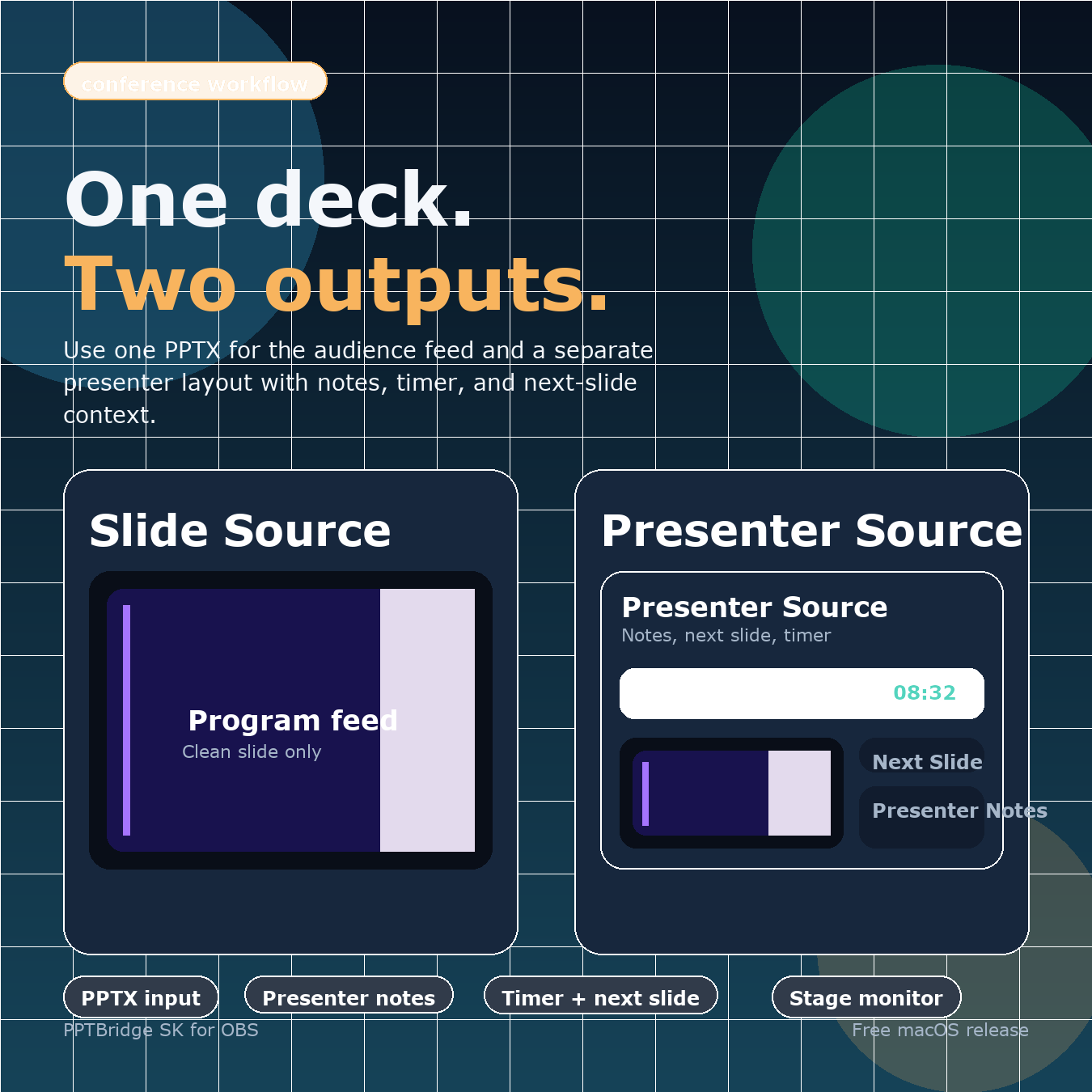
The PPTBridge SK Slide source is a clean audience feed for projector, stream, recording, or your switcher — no desktop, no taskbar.
Presenter / confidence view
PPTBridge SK Presenter shows the current page or slide, next preview, timer, cues, and available PowerPoint speaker notes. Rendered in OBS, so you can resize, crop, and lay it out for any stage monitor.
PowerPoint live mode
Drive the real PowerPoint slideshow with builds, animations, and embedded video, captured cleanly into OBS on Windows or macOS.
Native PDF presentation
Open a .pdf deck directly. PPTBridge renders and controls it natively, with no PowerPoint or separate PDF application required.
Show control built in
Hotkeys, presenter clicker, Bitfocus Companion / Stream Deck, and local OSC with status feedback for QLab or TouchDesigner.
Multi-deck routing
One scene per deck. Hotkeys, OSC, and the clicker follow the deck in the current OBS Program scene, so several presentations stay open without crossing wires.
Install
Quit OBS first. After installing, launch OBS in normal mode (not Safe Mode) so third-party plugins load, then add PPTBridge SK Slide or PPTBridge SK Presenter from the Sources + menu.
macOS Apple Silicon · stable
- Download the Apple Silicon v0.5.12 ZIP and unzip it.
- Open
START-HERE-macOS.txt. - Double-click
1-Install-PPTBridge-SK.command(if blocked, right-click → Open). - Let it copy the plugin and open OBS.
- Add
PPTBridge SK Slide/PPTBridge SK Presenter.
Windows x64 · stable
- Download the Windows x64 v0.5.10 ZIP.
- Extract it.
- Double-click
INSTALL.cmd. - Open OBS Studio (30+). PowerPoint is needed only for PowerPoint files.
- Add
PPTBridge SK Slidefor the audience output.
Full guides: Quickstart · Setup guide · Companion / OSC
Control your slides any way you run a show
PPTBridge ignores OBS hotkeys while another app is focused, so typing elsewhere never moves a slide. Turn on global clicker capture only when you want a stage remote to drive slides across apps.
OBS hotkeys
Default 2 = next, 1 = previous. Works while OBS is focused.
Presenter clicker
Spotlight/Clicker Capture maps PageDown/PageUp so a remote works while you use Chrome or OBS.
Companion / Stream Deck
Drive slides from a control surface with no dependence on keyboard focus.
OSC
Local OSC on 127.0.0.1:57130: /pptbridge/next, /previous, /first, /last, /black, /reload — plus status feedback.
Practical OBS presentation guides
Start with the problem you need to solve. Each guide uses the same tested PPTBridge controls described in the project documentation.
Free OBS PowerPoint plugin setup
See exactly how the two-source workflow works, what it supports, and how to install it.
Keep presenter notes out of Program
Separate the clean audience Slide source from the speaker's Presenter confidence view.
Companion and Stream Deck control
Build a local OSC control page with navigation and live deck status.
PowerPoint without display capture
Keep the desktop private and use the computer for other production work.
Present PDFs without PowerPoint
Open and control PDF pages directly on Windows or macOS, with a separate presenter view.
FAQ
Can I present a PDF in OBS without PowerPoint?
Yes. Install PPTBridge SK, add PPTBridge SK Slide, and select your PDF. Pages render directly on Windows and macOS without PowerPoint, a PDF reader, or display capture. Add Presenter with the same PDF for current/next page, timer, and cues. Follow the PDF guide.
Do PDF pages include speaker notes or animations?
PDF playback displays static pages. Current/next preview, timer, and cue guidance are available, but ordinary PDF exports do not carry PowerPoint speaker notes or reproduce animations and embedded media. Use the original PowerPoint file for those features.
Is PPTBridge SK free?
Yes — free and open source. The native plugin is GPL-2.0-or-later because it links against OBS Studio. There is no paywall or trial. If it helps your production, you can optionally support development on Patreon (suggested $5).
How do I add PowerPoint to OBS?
Install the plugin, add a PPTBridge SK Slide source, and pick your .pptx. For live mode with animations and video, open the source properties and click START - Open PowerPoint / Start Live Mode. PDF decks render directly without PowerPoint.
How do I install an OBS plugin on macOS?
Download the Apple Silicon ZIP, unzip, and double-click 1-Install-PPTBridge-SK.command. If macOS blocks it, right-click → Open. Then launch OBS in normal mode so third-party plugins load.
Does it work on Windows?
Yes. Windows 10/11 x64 is a stable v0.5.10 platform with a small ZIP and double-click INSTALL.cmd installer. OBS Studio 30+ is required; PowerPoint is needed only for PowerPoint files.
Do I need PowerPoint installed?
Only for PowerPoint files and live PowerPoint features. PDF decks work without PowerPoint on Windows and macOS.
Does it support OSC and Companion?
Yes. Enable Tools > PPTBridge SK: Toggle Local OSC Control. It listens on 127.0.0.1:57130 and accepts next/previous/first/last/black/reload, with OSC status feedback for Companion, QLab, or TouchDesigner.