Build the rundown
Create cues or paste rows from Excel and Google Sheets. Selecting a row prepares NEXT without changing LIVE.
 ProTimer Studio
Beta
ProTimer Studio
Beta
Free and open source
Prepare NEXT, press GO and send the speaker timer, lower thirds or screen content to every event display from one local app.
Built for the show site
Prepare NEXT without changing LIVE, keep Program visible, route it to several destinations and give speakers, crew and stream operators the views they need. The core workflow stays on your computer and production LAN.
Three-step workflow
Create cues or paste rows from Excel and Google Sheets. Selecting a row prepares NEXT without changing LIVE.
GO NEXT updates the live cue and timer together. Program remains the operator's source of truth.
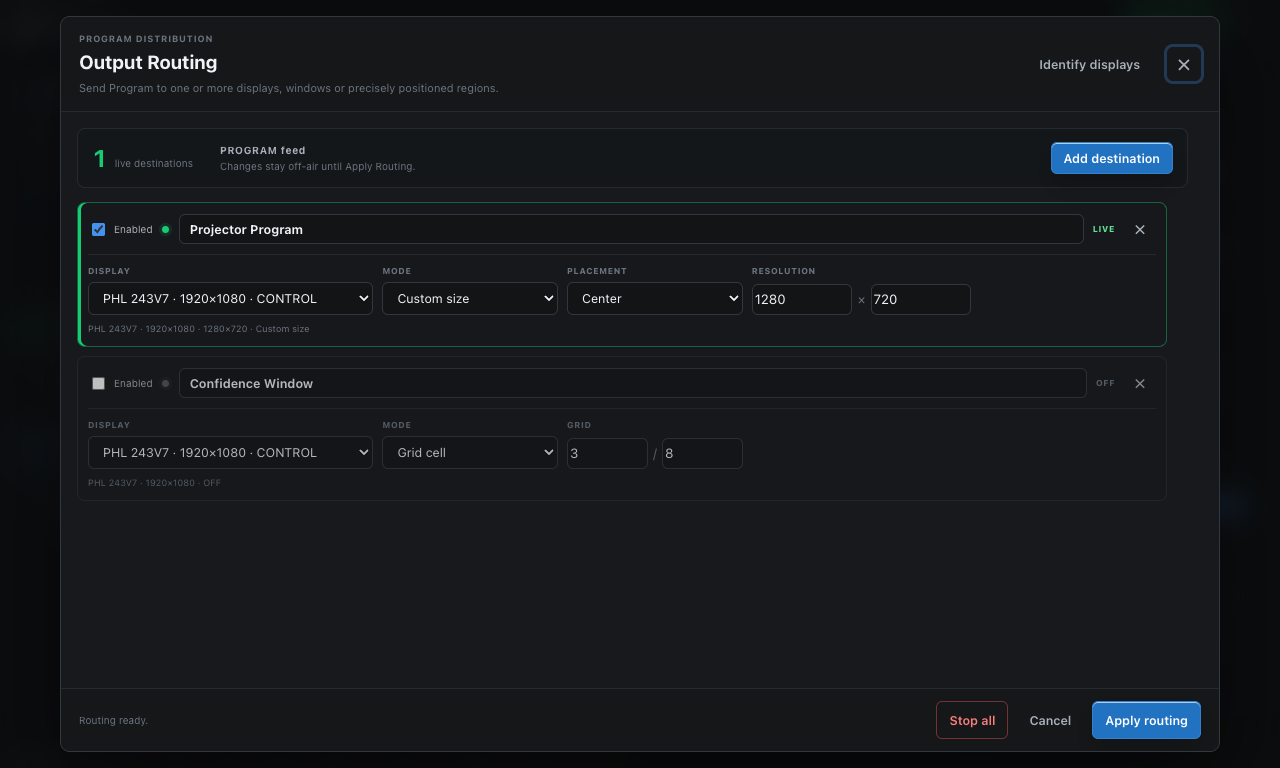
Send the timer, lower third or screen content to several fullscreen, windowed or precisely sized outputs.
Core workflows
Clear selected, NEXT and LIVE states with planned duration, notes, actual timing and safe GO progression.
Countdown, stopwatch and clock modes with warning colors, overtime, messages, chimes and Signal Light.
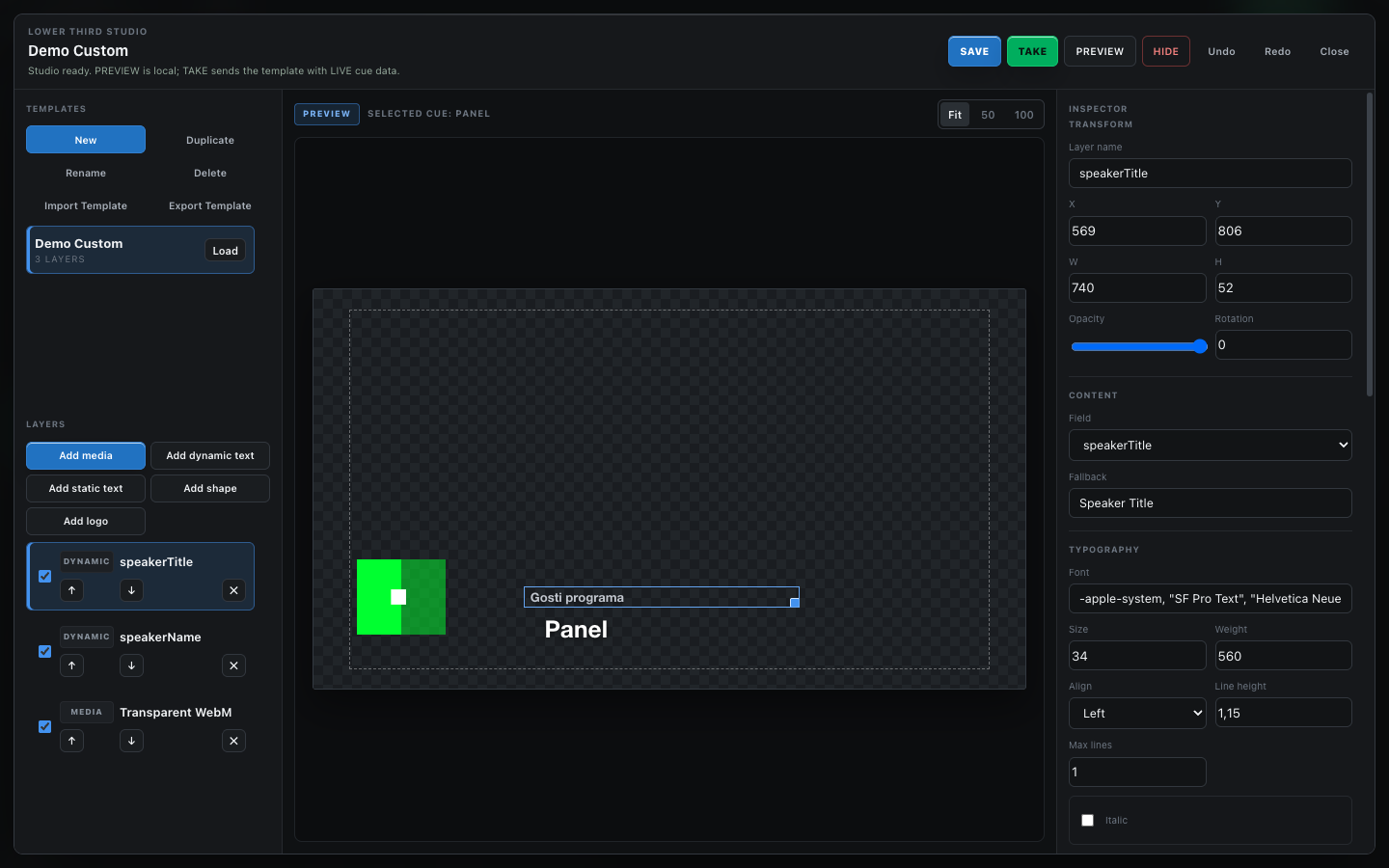
Build reusable 16:9 templates from cue fields, text, shapes, logos, images and muted video.
Take images, video, PDF pages, text, logos, timers or a blank state to Program.
Send Program to fullscreen displays, normal windows, exact pixel regions or grid cells at the same time.
Phone remote, backstage, browser output, HTTP, OSC, autosave, portable show files and post-show reports.
Real product screens
Public beta downloads
Choose the recommended file for your computer. GitHub's automatic Source code ZIP and TAR.GZ files are for developers and will not install ProTimer Studio.
The portable EXE is intended for advanced users who cannot install software.
SHA256SUMS.txt. Download only from the official repository and see the release details when needed.
Why public beta
Try it off-air, then tell us what was unclear, what failed and what would save time on a real show. Display setup and reproducible steps matter more than a generic “doesn't work”.
Before you download
Apple Silicon Mac users need the ARM64 DMG. Windows 10/11 x64 users should choose the Setup EXE. Do not download GitHub's Source code ZIP or TAR.GZ files unless you are building the app yourself.
Yes. The MIT License permits use, modification and redistribution. There is no account, subscription, trial limit or output watermark.
No for the core app. Phone, backstage, Signal Light and browser views use your local production network. Optional public sharing needs internet.
The public beta is not yet Developer ID notarized or Windows Authenticode signed. Confirm the GitHub source and SHA-256 before overriding a warning.
No. It is a software-first option for event teams. Dedicated hardware still wins where physical redundancy is essential, and ProTimer Studio is not a video switcher or full media server.
Language support
English and Serbian have full interface coverage. The other 35 language choices cover core operator controls and fall back to English for advanced areas. Every language pack is labeled FULL or CORE in the app; the exact policy is documented in Languages.